
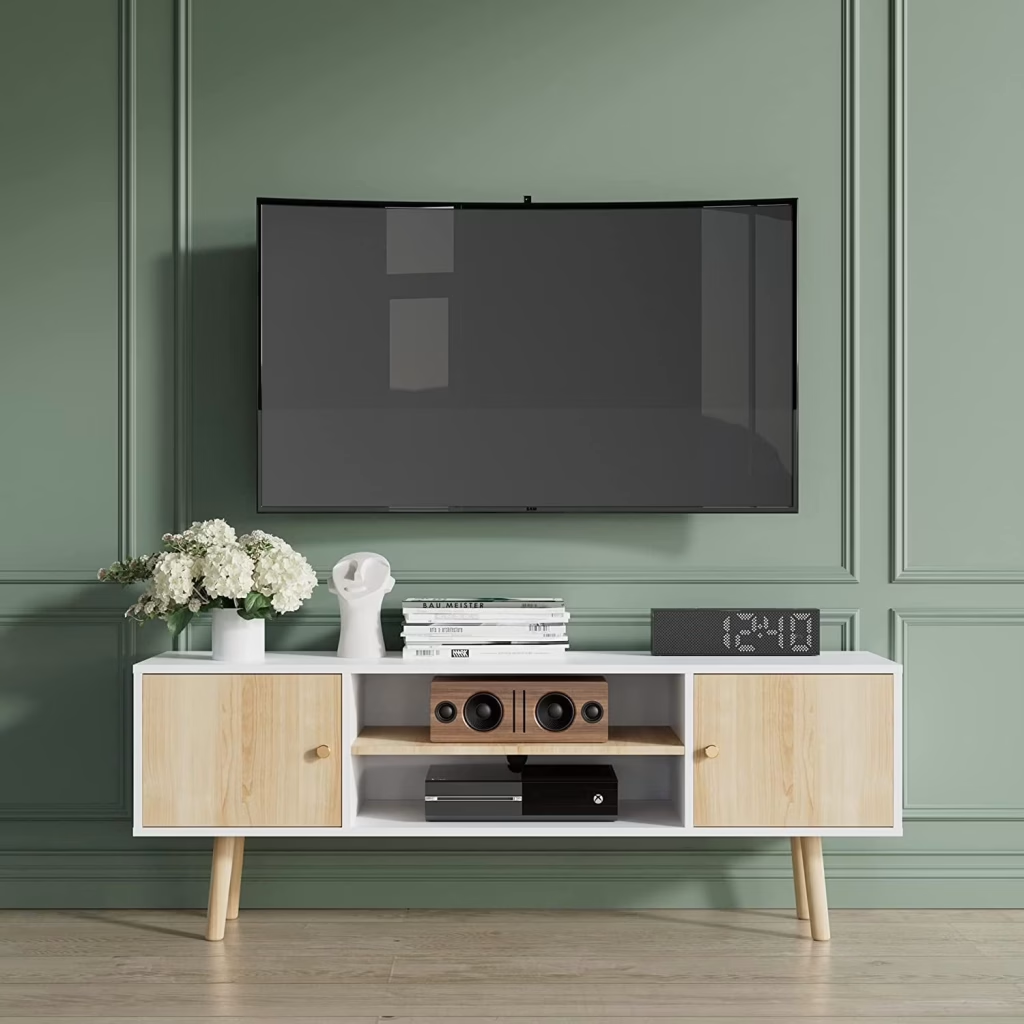
You just bought a brand-new 50-inch television. The picture is sharp, the colors are vivid, and you cannot wait to binge your favorite shows on it. But then comes the part nobody warns you about — finding a stand that actually fits. You start scrolling through page after page of options online. Some look too narrow. Others seem like they belong in a mansion. A few are so cheap you can almost feel them wobbling through the screen. Picking the right 50 inch tv stand should not feel this overwhelming, but it does for most people. The wrong choice means a TV that looks awkward, a setup that feels unstable, or a piece of furniture that clashes with everything else in the room. The right choice, on the other hand, ties the whole space together and keeps your expensive screen safe for years. This guide walks you through everything you need to know before you spend a single dollar on a 50 inch tv stand — from exact measurements and stand types to materials, storage solutions, and the best places to shop in 2026. Whether you are furnishing a small apartment or redesigning a family living room, the goal here is simple: help you make a confident, informed decision without the guesswork.
What Size Stand Do You Actually Need for a 50 Inch TV?
This is where most buyers get tripped up, and it happens because of one simple misunderstanding. When a television is labeled as “50 inches,” that number refers to the diagonal measurement of the screen — corner to corner. The actual width of a 50-inch TV, measured straight across from left to right, is closer to 44 inches. That is the number that matters when you are shopping for a 50 inch tv stand, because the stand’s surface needs to be wider than the TV itself.
The Width Sweet Spot
Furniture experts and safety organizations recommend that a tv stand for 50 inch tv should be at least 48 to 55 inches wide. That gives you roughly 2 to 6 inches of extra space on each side of the screen. Those extra inches are not just cosmetic. They provide a wider base for stability, room for a soundbar underneath the screen, and a visual frame that makes the TV look intentional rather than crammed onto a shelf. If you go narrower than 48 inches, the TV’s feet may barely fit on the surface, and the whole setup starts looking like it could tip over at any moment.
Height and Viewing Comfort
The ideal height for a stand paired with a 50-inch screen is somewhere between 20 and 24 inches. Here is the reasoning: when you are seated on a standard sofa, your eyes are roughly 40 to 43 inches off the ground. The center of a 50-inch TV screen sits about 14 inches from the bottom edge of the panel. A stand in the 20-to-24-inch range puts that screen center right at your natural eye line, which means no craning your neck up or slouching down during a two-hour movie. If you use a recliner or sit on lower floor cushions, lean toward the shorter end. If you have a tall sectional or bar-height seating behind the main couch, go a bit taller.
Depth Matters More Than You Think
Most people focus on width and height when choosing a 50 inch tv stand, then completely forget about depth. A good stand should be at least 15 to 18 inches deep. That depth keeps the TV stable on the surface and leaves room on the shelves behind or below for streaming devices, cable boxes, and gaming consoles. Go shallower than 15 inches and you risk devices hanging off the back edge, which looks messy and creates a tripping hazard with loose cables.
Why Going Too Small Is Dangerous
This is not just about looks. According to the U.S. Consumer Product Safety Commission, an estimated 17,800 people are injured every year in furniture and television tip-over incidents, with children under 18 accounting for nearly half of those injuries. A stand that is narrower than your TV creates exactly the kind of top-heavy imbalance that leads to those accidents. The simple rule: if your television’s feet do not sit fully on the stand’s surface with visible room on each side, the stand is too small. Do not talk yourself into making it work.
Types of TV Stands That Work Best for a 50 Inch Screen
Not every 50 inch tv stand is built the same way, and the right type for you depends on your room layout, how much gear you need to store, and how much floor space you can afford to give up. Here is a breakdown of the four main categories worth considering.
Standard Media Console
This is the most common pick, and for good reason. A standard media console is a flat-backed rectangular unit that sits against a wall. It typically comes with a mix of open shelves, enclosed cabinets, and sometimes drawers. For a 50-inch screen, look for consoles in the 48-to-60-inch width range with a height of 20 to 24 inches. These work well in living rooms where the TV has a dedicated wall, and they leave plenty of room on the surface for a soundbar or a couple of small decorative items. The enclosed cabinets are great for hiding cable clutter, and the open shelves keep gaming consoles ventilated so they do not overheat during long sessions.
Corner TV Stand for Tight or Awkward Layouts
If your living room has too many doors, windows, or walkways to dedicate a full wall to the television, a 50 inch corner tv stand is worth serious consideration. These units have an angled or triangular back that tucks into a corner, using space that would otherwise sit empty and collect dust. A well-designed corner stand pushes the TV into a diagonal sightline across the room, which can actually make a small space feel larger than it is. When shopping for one, look for a clipped or mitered back panel that sits flush against both walls without leaving a big gap behind the unit. Built-in cable routing holes are a must — if you can see a tangle of HDMI cords from your armchair, the whole setup loses its appeal. The front width should be at least 42 inches, and the weight capacity needs to comfortably handle your TV plus any devices you plan to store on the shelves.
Swivel Mounts and Pedestal Stands
These are the minimalist’s best friend. A pedestal stand is essentially a single post or base that the TV mounts directly onto, saving almost all of your floor space. Many models offer height adjustment, tilt control, and a 50-degree swivel range, which is ideal for open-plan apartments where you might want to angle the screen toward the kitchen while cooking or toward the couch during movie night. The trade-off is storage. Most pedestal stands have one small shelf at the base for a streaming stick or a game console, and that is it. If you have a lot of media equipment, you will need a separate storage solution nearby. These work best in bedrooms, home offices, or as a secondary viewing setup in a guest room.
Entertainment Centers and Wall Units
At the other end of the spectrum, entertainment centers are large, multi-piece setups with hutches, side towers, and extensive shelving. They are designed for big walls and households with a lot of components — think multiple gaming systems, a vinyl player, a receiver, surround sound speakers, and a collection of physical media. These units can span 90 to 120 inches wide, so they make a serious visual statement. The downside is that they are heavy, hard to move, and can overwhelm a small room. Always measure your doorway before ordering one, because getting a six-foot-wide entertainment center through a 32-inch door frame is the kind of problem you want to catch before delivery day.
Key Features to Look for in a TV Stand for 50 Inch TV
Once you know what type of 50 inch tv stand you want, it is time to dig into the details that separate a solid purchase from a frustrating one. These are the features that matter most in daily use.
Weight Capacity and Build Material
A typical 50-inch television weighs between 25 and 40 pounds, depending on the brand and whether it uses an LED or OLED panel. Your stand should be rated for at least 1.2 to 1.5 times that weight to give yourself a comfortable safety margin, especially once you add a soundbar, a streaming device, and whatever else ends up on the surface over time. The material of the stand determines both its durability and its look. Solid wood is the gold standard — it is heavy, stable, and can be sanded and refinished if it gets scratched years down the road. Engineered wood or MDF is lighter and more affordable, but it does not hold up as well to moisture or heavy loads over time. Metal frames offer a strong, modern aesthetic and pair well with wood or glass shelves for an industrial look. Tempered glass is sleek and contemporary, but it shows fingerprints easily and needs careful handling during assembly.
Storage and Cable Management
Think about what you actually need to store. Do you have a gaming console, a cable box, a streaming stick, and a Blu-ray player? Or is it just the TV and a single Fire Stick? Open shelves give you easy access and better airflow for devices that generate heat, but they also put every cable and dust bunny on display. Enclosed cabinets with doors hide the mess and create a cleaner look, but they can trap heat if there is no ventilation in the back panel. The best 50 inch tv stand options offer a hybrid approach — one or two open sections for frequently used devices and a closed cabinet or drawer for remotes, manuals, and accessories you do not need to see every day. Cable management features like pre-drilled routing holes in the back panel, adhesive cord clips, and built-in power strips with USB ports might seem like small details, but they save you real frustration during setup and keep the area behind the stand from turning into a spaghetti mess of wires.
Safety Features for Families with Kids or Pets
If you have young children or active pets in the house, safety features deserve extra attention. Look for stands that come with anti-tip wall straps or anchors, which secure the unit to the wall and prevent it from toppling forward if a child tries to climb it. Rounded corners reduce the risk of injury from bumps, and sealed wood tops resist spills better than raw or unfinished surfaces. One often-overlooked tip: avoid placing climbable objects like storage boxes, toys, or step stools near the stand, because kids will use anything as a ladder. The CPSC’s “Anchor It” campaign provides free guides on how to properly install anchoring devices, and it is worth the ten minutes it takes to do it right.
Best Places to Buy a 50 Inch TV Stand in 2026
Where you shop for a 50 inch tv stand matters almost as much as what you buy. Different retailers specialize in different price points, styles, and buying experiences, so knowing what to expect from each one can save you time and money.
Shopping at Walmart
Walmart remains one of the most accessible places to find a 50 inch tv stand walmart shoppers can actually see and touch before buying. The in-store selection skews toward budget and mid-range options, with industrial metal-and-wood stands starting around 50 to 80 dollars and more feature-rich models with LED lighting, built-in power outlets, and enclosed storage running between 150 and 250 dollars. One of Walmart’s biggest advantages for furniture is in-store pickup. Large furniture items are prone to shipping damage — dented corners, cracked panels, missing hardware — and picking up in person lets you inspect the box before you take it home. On Walmart’s website, filtering by “maximum screen size” quickly narrows the results to stands rated specifically for 50-inch screens, which saves a lot of scrolling.
Other Retailers Worth Checking
Amazon offers the widest overall selection, and the user review section is genuinely useful for spotting recurring assembly issues or quality complaints before you buy. Just be cautious with listings that have very few reviews or suspiciously perfect ratings. Home Depot carries heavier, more furniture-grade options with higher weight ratings — a good place to look if you want something built to last a decade or more. Wayfair and Living Spaces are stronger on style-forward designs, particularly mid-century modern and farmhouse aesthetics, and both run frequent sales that can knock 20 to 30 percent off retail prices. Do not overlook local furniture stores either. Walking into a showroom and physically pushing on a stand to test its sturdiness tells you more in five seconds than any product listing ever could. One practical tip regardless of where you shop: always cross-check the same model’s price across at least two or three retailers. Markups on the identical stand can vary by 30 to 60 dollars depending on the platform, and a quick comparison search takes less than a minute.
How to Style and Set Up Your 50 Inch TV Stand
Buying the 50 inch tv stand is only half the job. How you set it up and style it determines whether your living room looks pulled together or thrown together. Here are the practical details that make the difference.
Picking a Style That Matches Your Room
Your stand should blend with your existing furniture, not fight against it. If your living room leans modern and minimal, look for clean lines, neutral colors, metal legs, and open shelving. If you have a rustic or farmhouse vibe going, warm wood tones, sliding barn doors, and distressed finishes will feel right at home. Industrial style — metal frames with dark-stained or reclaimed wood — works well in lofts and open-plan spaces. Mid-century modern, with its tapered legs and walnut or teak finishes, brings a retro warmth that pairs beautifully with both contemporary and traditional decor. The key principle is this: the TV should be the focal point of the wall, not the stand. Pick a stand that supports and complements the screen rather than competing with it for attention.
Assembly Tips and Mistakes to Avoid
Before you tear open the box and start pulling out parts, read the entire instruction manual. Yes, the whole thing. Sorting screws, dowels, and cam locks into labeled groups before you pick up a screwdriver cuts your assembly time nearly in half and dramatically reduces the chance of putting a panel on backward. Use a level to check that the finished stand sits flat on the floor. If your floors are uneven — and most are, at least slightly — look for stands with adjustable rubber feet that let you fine-tune the leveling. The single biggest assembly mistake people make when setting up a tv stand for 50 inch screens is choosing a stand that is exactly the same width as the TV. It looks cramped, there is no room for error, and it creates an unstable top-heavy profile. The second most common mistake is ignoring depth. If the stand sticks out too far from the wall, it eats into your walkway and makes the whole room feel tighter than it needs to be.
Keeping Things Clean and Well Maintained
A little routine care goes a long way with any 50 inch tv stand, regardless of what it is made from. Wipe down surfaces regularly with a soft, dry cloth or a slightly damp microfiber towel. Avoid harsh chemical cleaners on wood veneer or laminate surfaces — they can strip the finish and leave dull spots over time. Every two to three months, get down on the floor with a screwdriver and check that all screws, bolts, and cam fittings are still tight. Engineered wood stands, in particular, can loosen with regular use because the material does not grip fasteners as firmly as solid wood. If your stand has glass shelves, double-check the weight limits before stacking a heavy receiver or a pair of bookshelf speakers on them. Tempered glass is strong, but it has its limits.
Frequently Asked Questions About 50 Inch TV Stands
FAQ 1: What size TV stand do I need for a 50 inch TV?
A 50-inch TV is approximately 44 inches wide from left to right, so your stand should be at least 48 to 55 inches wide. This gives you 2 to 6 inches of breathing room on each side for stability, a soundbar, or small décor items. Going wider is fine and often looks better — going narrower is a safety risk.
FAQ 2: Can I put a 50 inch TV on a 40 inch stand?
This is not recommended. A 50-inch TV is roughly 44 inches wide, which means it would overhang a 40-inch stand on both sides. That overhang creates a top-heavy setup that increases the chance of tipping, especially if bumped by a child or pet.
FAQ 3: What is the ideal height for a 50 inch TV stand?
The best height is between 20 and 24 inches. This positions the center of the screen at about 40 to 43 inches from the floor, which aligns with the average seated eye level on a standard sofa. If you use a low recliner, go shorter; if you have tall bar-style seating, go slightly taller.
FAQ 4: How wide is a 50 inch TV in actual inches?
Despite the name, a 50-inch TV measures about 44 inches from left to right. The “50 inches” refers to the diagonal measurement of the screen, not the horizontal width. Always use the actual width when choosing a stand so the TV fits properly on the surface.
FAQ 5: Is a corner TV stand good for a 50 inch TV?
Yes, a corner stand works well for a 50-inch TV as long as the front width is at least 42 to 50 inches and the weight capacity matches your screen. Corner stands save floor space by tucking into unused room corners, making them a smart choice for apartments or rooms with awkward layouts.
FAQ 6: Should my TV stand be wider than my TV?
Always. Furniture safety experts recommend that the stand be at least 4 to 12 inches wider than the TV’s actual width. A wider stand provides better weight distribution, prevents tipping, and leaves room for a soundbar or decorative items on each side.
FAQ 7: How much weight can a 50 inch TV stand hold?
Most mid-range stands support between 80 and 150 pounds on the top surface. A typical 50-inch TV weighs only 25 to 40 pounds, so the majority of stands handle the load easily. However, always check the manufacturer’s rated capacity and aim for a stand that exceeds your TV’s weight by at least 20 to 50 percent for a safe margin.
FAQ 8: Is it better to wall mount a 50 inch TV or use a stand?
Both options work, and the best choice depends on your living situation. Wall mounting saves floor space and gives a sleek, modern look, but requires drilling and makes it harder to rearrange. A stand offers built-in storage for devices, is renter-friendly, and lets you reposition the setup without patching holes.
FAQ 9: What depth should a 50 inch TV stand be?
A minimum depth of 15 to 18 inches is recommended. This keeps the TV stable on the surface and provides enough shelf space behind or below for streaming devices, cable boxes, and gaming consoles. Going shallower than 15 inches can leave devices hanging off the back edge.
FAQ 10: Can I use a 60 inch stand for a 50 inch TV?
Absolutely. A 60-inch stand paired with a 50-inch TV looks well-proportioned and gives you generous surface space for a soundbar, photo frames, or small plants. A slightly wider stand almost always looks more intentional and balanced than one that matches the TV’s width exactly.
FAQ 11: What is the best material for a TV stand?
Solid hardwood is the most durable and can be refinished over time, making it a long-term investment. Engineered wood and MDF are more affordable and lighter but less resistant to moisture and heavy loads. Metal frames offer strength with a modern industrial look, while tempered glass is sleek but shows fingerprints and requires careful handling.
FAQ 12: Are TV stands with built-in electric fireplaces safe for a 50 inch TV?
Yes, when properly designed. Most electric fireplace TV stands direct heat outward from the front, not upward toward the TV. Keep at least 4 to 6 inches of clearance between the top of the fireplace insert and the bottom of your television, and avoid running the heater at maximum capacity for extended periods while the TV is on.
FAQ 13: How do I hide cables behind a TV stand?
Look for stands with pre-drilled cord routing holes or grommet cutouts in the back panel. Velcro cable ties, adhesive cord clips, and paintable cable raceways are inexpensive add-ons that keep wires organized. Some stands also come with built-in power strips and USB ports, which centralize your plugs and reduce the number of loose cords running to wall outlets.
FAQ 14: What style of TV stand looks best in a small living room?
For smaller rooms, a low-profile media console with clean lines and open shelving keeps the visual weight down and avoids making the space feel cramped. A corner TV stand is another strong option, as it uses otherwise dead space and pushes the TV into a diagonal sightline that can make the room feel larger. Avoid bulky entertainment centers with hutches in tight spaces.
FAQ 15: Do I need anti-tip straps for my TV stand?
They are strongly recommended, especially in households with children under six or active pets. The U.S. Consumer Product Safety Commission reports an estimated 17,800 furniture and TV tip-over injuries per year, with children accounting for nearly half. Anti-tip wall straps take about ten minutes to install and dramatically reduce the risk of a stand toppling forward.
FAQ 16: Can a 55 inch TV fit on a 50 inch stand?
It depends on the TV’s actual width and foot placement. Many 55-inch TVs are about 48 inches wide, so a 50-inch stand may technically fit if the TV’s feet or base sit fully on the surface without overhang. However, this leaves almost no margin for error. A stand that is at least 54 to 60 inches wide is a safer and more visually balanced choice.
FAQ 17: What is the difference between a TV stand and an entertainment center?
A TV stand is a single, standalone console typically 48 to 72 inches wide with shelves, cabinets, or drawers. An entertainment center is a larger system — often 90 to 120 inches wide — that includes side towers, hutches, and extensive shelving for households with lots of media components. Entertainment centers make a bigger visual statement but are heavier, harder to move, and can overwhelm smaller rooms.
FAQ 18: How far should a TV stand be from the wall?
Most TV stands can sit flush against the wall, but leave 2 to 4 inches of space if your devices need rear ventilation or if you want room for cable management. Stands with enclosed backs may trap heat around gaming consoles and receivers, so a small gap improves airflow and keeps your equipment running cooler.
FAQ 19: Are floating TV stands strong enough for a 50 inch TV?
Floating or wall-mounted media consoles can support a 50-inch TV, but only if they are properly anchored into wall studs and the weight rating matches your setup. Most floating stands are designed as storage shelves to sit below a wall-mounted TV rather than directly supporting the screen’s weight. Always verify the mounting hardware and stud placement before loading a TV onto one.
FAQ 20: What features should I look for in a TV stand with built-in power outlets?
Check for at least two AC outlets and one or two USB ports built into the stand’s surface or back panel. This centralizes your power connections and eliminates ugly power strips on the floor. Make sure the cord from the stand’s power hub to the wall outlet is long enough to reach without a separate extension cord, and look for surge protection to safeguard your electronics.
FAQ 21: Is engineered wood as good as solid wood for a TV stand?
Engineered wood, including MDF and particle board, is lighter and more affordable, but it does not hold up as well over time. It can sag under sustained weight on long unsupported spans and is more susceptible to moisture damage. Solid wood is heavier, more durable, and can be refinished if scratched. For a 50 inch TV stand that you plan to keep for many years, solid wood or a high-quality wood veneer over plywood is the better investment.
FAQ 22: How often should I tighten the screws on my TV stand?
Check and tighten all screws, bolts, and cam lock fittings every two to three months. Engineered wood stands in particular tend to loosen over time because the material does not grip fasteners as firmly as solid wood. Routine checks take only a few minutes and prevent wobbling, sagging, or structural failure down the road.
FAQ 23: What is the best TV stand for a bedroom with limited space?
A pedestal swivel mount or a compact corner unit is the best fit for a bedroom with limited floor space. Pedestal stands take up almost no room and offer height and angle adjustments. Corner stands tuck into unused areas and keep the TV out of the main walkway. If you need storage, a narrow console around 48 inches wide with one or two enclosed shelves keeps remotes, streaming devices, and chargers organized without dominating the room.
FAQ 24: How do I know if a TV stand from Walmart will fit my 50 inch TV?
Use the “maximum screen size” filter on Walmart’s website to narrow results to stands rated for 50-inch screens. Then compare the stand’s top surface width to your TV’s actual width, which is roughly 44 inches for most 50-inch models. Check the weight capacity against your TV’s weight, and read user reviews for real-world feedback on stability and assembly difficulty. In-store pickup lets you inspect the box for shipping damage before taking it home.
Wrapping It Up
Choosing the right 50 inch tv stand does not have to be complicated once you know what to measure, what to look for, and where to shop. Start with the basics: a width of 48 to 55 inches, a height of 20 to 24 inches, and a weight capacity that comfortably exceeds your TV’s weight. From there, decide what type fits your room. A standard media console works for most living rooms. A corner stand is the smarter pick for smaller or awkwardly shaped spaces. A pedestal mount keeps things minimal when storage is not a concern. Pay attention to materials, cable management features, and safety considerations — especially if you have young kids at home. Check prices across a couple of different retailers before you commit, because the exact same model can vary in price by 30 to 60 dollars from one store to the next. And when you set the stand up, take the time to level it, tighten every fitting, and route your cables cleanly through the back panel. The 50 inch tv stand you choose is going to sit in your living room every single day. It will hold your most-used piece of technology. It will anchor the wall that your family gathers around for movies, games, and weekend football. Getting this decision right is worth the extra twenty minutes of research — and now you have everything you need to make that call with confidence.