
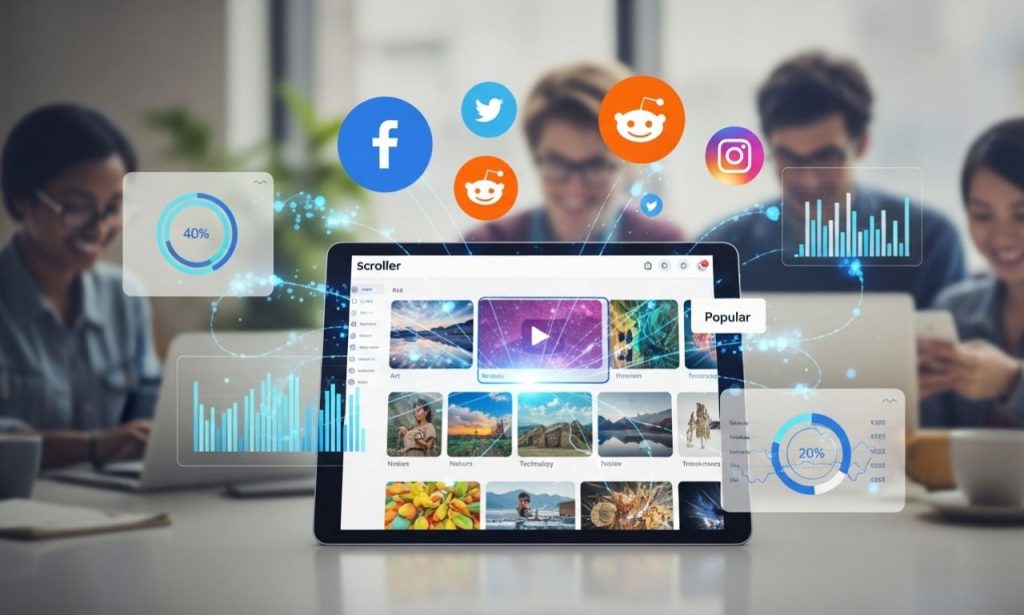
The way we consume content online has changed dramatically over the past few years. People no longer want to read through walls of text just to find a single image or video. They want speed. They want simplicity. They want visuals served up instantly, without the friction of logging in, clicking through pages, or dealing with cluttered interfaces. That shift in behavior is exactly what gave rise to Scrolller. In a digital landscape overflowing with platforms competing for attention, this one took a radically different approach. Instead of adding more features, more buttons, and more noise, it stripped everything back to the bare essentials and focused entirely on visual media.
At its core, this platform is a visual media browser that pulls images, GIFs, and short videos from Reddit and presents them in one continuous, never-ending feed. No pagination. No comment threads. No sidebars. Just content. Whether someone is looking for stunning nature photography, trending memes, digital art, or niche hobby content, the platform organizes everything into smooth, scrollable galleries that feel effortless to explore.
Since its launch, the platform has steadily grown in popularity, attracting millions of monthly visitors who prefer this stripped-down approach to media consumption. And the search interest around it keeps climbing. In this guide, we are going to break down everything you need to know. How it works, what makes it different, who it is for, whether it is safe, and where it is headed. No fluff, no filler. Just a straightforward walkthrough from someone who has spent real time with the platform.
What Is Scrolller and Why Is Everyone Talking About It?
The Concept Behind the Platform
Scrolller started as a solution to a common frustration. Reddit is one of the largest content communities on the internet, home to thousands of active subreddits covering everything from astrophotography to street food. But for all its depth, the platform was never built with visual browsing in mind. Its native interface is text-heavy, cluttered with comment threads, sidebars, and navigation menus that slow down anyone who just wants to look at pictures or watch short clips.
That is the gap Scrolller was designed to fill. It works as a front-end viewer for Reddit media. It does not host any content on its own servers. Instead, it indexes and displays images, GIFs, and videos from publicly available subreddit posts. Think of it as a clean window into Reddit’s visual world, without any of the noise. What started as a niche companion tool has since evolved into something much bigger. Today, it functions as a standalone visual discovery platform with its own identity, attracting users who may never have browsed Reddit directly. According to traffic analysis data from early 2025, similar Reddit media browsers attract close to two million visits per month. That kind of demand tells you something important about what people want from their browsing experience.
How It Pulls and Displays Content
Behind the scenes, the platform connects to Reddit through its public API. This technical connection allows it to fetch media posts in real time. As you scroll, new content preloads automatically so transitions between images and videos feel seamless. There is no lag, no buffering wheel, and no waiting for the next page to load. This preloading mechanism is what gives the platform its signature fluid feel. Most users do not even notice the technical work happening behind the curtain because the experience is just that smooth.
The content you see is not randomly selected. It surfaces based on Reddit’s upvote system, which means the images and videos that appear have already been validated by thousands of community members. Popular posts from each subreddit naturally rise to the top. This crowd-sourced filtering acts as a built-in quality control layer. You are not scrolling through a dump of random uploads. You are seeing the best of what each community has to offer, curated by real people.
Key Features That Make Scrolller Stand Out
Infinite Scrolling Without Interruptions
The signature feature of Scrolller is its endless scroll. There are no page numbers, no “load more” buttons, and no interruptions. Content flows continuously as you move down the page. This design choice is deliberate. It removes every point of friction between you and the next piece of media. For casual browsers, it creates a relaxing, almost meditative experience. For power users, it means faster content consumption with zero wasted clicks. The psychology behind this is well-documented. Infinite scrolling taps into our natural curiosity. Every new image or video that appears rewards the brain with a small hit of novelty, which keeps you engaged far longer than a paginated layout ever could.
The infinite scroll mechanism typically loads around twenty to thirty items at a time. As you approach the bottom of the current batch, new content appears automatically. This creates the bottomless browsing experience the platform is known for.
Category-Based Browsing and Custom Feeds
While the default experience serves up a broad mix of content, users can drill down into specific categories based on their interests. Nature, humor, art, photography, gaming, travel, fitness, food — nearly every topic imaginable has a dedicated feed. Beyond browsing individual categories, you can merge multiple subreddits into a single stream. This means a photographer could combine feeds from landscape, portrait, and street photography subreddits into one personalized gallery. The platform also supports saving favorites and building collections, so you can bookmark content you want to revisit later.
No Account Required — Anonymous and Accessible
One of the biggest draws is that you do not need to create an account. You can start browsing the moment you land on the site. No email, no password, no profile setup. This anonymous access appeals strongly to users who value privacy and do not want to hand over personal information just to look at pictures. The platform works across devices too. Whether you are on a desktop, tablet, or phone, the interface adapts to your screen size and maintains its smooth performance.
SFW and NSFW Content Filtering
The platform caters to both safe-for-work and adult audiences. A simple toggle lets you switch between the two modes. If you are browsing in a public or shared space, you can keep the NSFW filter on and explore only clean content. If you prefer unrestricted browsing, the filter can be turned off after a quick age verification step. You can also customize filters based on specific tags or subreddit categories, giving you granular control over what shows up in your feed.
How to Use the Platform Effectively
Getting started is about as simple as it gets. Visit the site — no signup required. From there, choose a category or use the search function to find content from specific subreddits. If you want to keep things safe for work, make sure your NSFW filter is toggled on before you start browsing. As you find content worth saving, use the bookmark or collection feature to keep it organized for later. The beauty of how Scrolller handles this process is that there is zero learning curve. You do not need a tutorial, a walkthrough, or an FAQ page to figure things out. The interface is intuitive enough that even first-time visitors can start exploring within seconds of landing on the page.
For the best experience, consider combining multiple subreddits into a single feed. This gives you a broader stream of content tailored to your tastes without having to jump between categories manually. Dark mode is available and recommended for extended browsing sessions, especially at night. And if you are someone who browses on the go, the mobile experience is surprisingly polished. Images scale correctly, scrolling stays smooth, and the interface does not feel cramped even on smaller screens.
Benefits of Browsing With Scrolller
Distraction-Free Visual Discovery
This is where the platform really shines. There are no pop-ups, no autoplay video ads, no cluttered sidebars, and no comment sections fighting for your attention. The entire interface is built around one goal: let you focus on the content. Compare that to Reddit’s native layout, where every post comes packaged with upvote counters, comment threads, share buttons, awards, and a navigation bar that takes up valuable screen space. Scrolller strips all of that away.
Community-Driven Content Quality
Because the content originates from Reddit, everything you see has been through a natural vetting process. Posts with high upvotes and strong community engagement rise to the top. Low-quality or irrelevant uploads get buried. This means you are consistently seeing media that real people have already judged to be worth viewing. It is not an algorithm guessing what you might like. It is genuine community curation.
Speed and Performance
Fast loading times are not optional for a platform built around visual media. The team behind this tool clearly understood that. Images render quickly, transitions between content feel fluid, and the overall performance holds up well even on slower connections. The responsive design ensures that whether you are on a high-end desktop monitor or a mid-range smartphone, the experience stays consistent.
A Tool for Creatives and Researchers
Beyond casual browsing, many artists, designers, and content creators use the platform as a visual research tool. It is excellent for building mood boards, finding reference images, tracking visual trends, or simply gathering inspiration across different creative fields. The ability to save and organize content into collections makes it practical for anyone who needs to curate visual references regularly. Interior designers pull color palette ideas. Graphic designers track typography trends. Photographers study composition through the endless stream of community-curated images. It is one of those tools that serves a purpose far beyond what it was originally built for.
Scrolller vs. Reddit and Other Visual Platforms
How It Compares to Reddit
The difference comes down to purpose. Reddit is a community platform built for discussion. People go there to read comments, participate in conversations, and engage with communities. Scrolller, on the other hand, is built purely for media consumption. It takes the visual output of Reddit and strips away everything else. If you want to talk about a photo, go to Reddit. If you just want to look at photos, this platform is the faster, cleaner option. The two are not competitors. They serve different needs. Many users actually go back and forth between them, using Reddit for discussion and this visual browser for pure content consumption.
Stacking Up Against Pinterest, Imgur, and Tumblr
Pinterest is heavily algorithm-driven and built around organized boards and collections. It is great for planning and saving ideas, but the experience feels more curated and commercial. Imgur has its own community with comments, voting, and viral content loops. It is more social. Tumblr blends blogging with media sharing and leans into creator interaction and niche communities. Each of these platforms serves a different purpose. Where Scrolller stands apart is in its simplicity. It is the most straightforward option for anyone who wants anonymous, uninterrupted, passive visual browsing with zero social pressure. There are no follower counts, no likes to chase, and no algorithm trying to manipulate your behavior. You open it, you scroll, and you close it when you are done. That simplicity is exactly why it keeps pulling in new users who are tired of the noise everywhere else.
Safety, Privacy, and Ethical Concerns
Is It Safe to Use?
From a technical standpoint, the platform does not require you to share personal information. You can browse without creating an account, which significantly reduces your privacy exposure compared to platforms that demand registration and data. There are no known major security vulnerabilities associated with it. That said, standard internet safety practices still apply. Keep your browser updated, avoid clicking on suspicious external links, and use the content filters available to you.
Content Ownership and Creator Rights
This is where things get more complicated. Because the platform aggregates and displays content from Reddit, the original creators of that content are not always credited or compensated. Some artists and photographers have raised concerns about their work being viewed and redistributed without their permission. While the platform itself does not host the media directly, it plays a role in amplifying content beyond its original context. This is not a problem unique to this tool. Any content aggregation platform faces the same tension between accessibility and creator rights. But the conversation matters, especially as the platform grows and reaches larger audiences.
If you see work you admire, the responsible thing to do is trace it back to its original source. Follow the artist. Buy their prints. Give credit where it is due. The platform makes consumption easy, but supporting creators still requires a conscious effort from the viewer. The hope is that future updates will introduce creator-friendly features like attribution links, tipping systems, or revenue sharing models that address this gap directly.
Parental Guidance and Age-Appropriate Browsing
Adult content is a significant part of the platform’s library. While NSFW filters exist and age verification is in place, no filter system is perfect. Some content may slip through due to incorrect tagging at the subreddit level. Parents should be aware of this and exercise supervision if younger family members have access to the device. It is not a platform designed for children, and treating it accordingly is the sensible approach.
Common Issues Users Face
No platform is without its hiccups, and this one is no exception. The most frequently reported issue is images failing to load. This is typically caused by Reddit throttling its API access during peak usage hours, particularly during evenings in U.S. time zones. Waiting ten to fifteen minutes usually resolves it. Another common complaint involves NSFW filter inconsistencies. Because the filter relies on how Reddit subreddits tag their own content, mislabeled posts can occasionally bypass the filter. There is no platform-level fix for this — it is a limitation inherited from the source. Some users also experience content feeds that suddenly stop loading. Again, this usually ties back to API rate limits or high-traffic slowdowns. Refreshing the page or trying again after a short break typically does the trick. It is also worth noting that because Scrolller depends on external content sources, any downtime on Reddit’s end will directly affect the browsing experience here. If Reddit is slow or experiencing outages, expect the same from this platform.
The Future of This Platform — What to Expect
Looking ahead, the trajectory seems promising but not without risk. On the positive side, there is growing speculation around AI-powered content curation that could make feeds smarter and more personalized over time. Smarter filtering tools, better moderation systems, and creator-focused monetization models like tipping, subscriptions, and revenue sharing could help address some of the ethical concerns the platform currently faces. There is also talk in the broader tech community about visual browsing platforms integrating with sources beyond Reddit, which would diversify the content pool and reduce single-point dependency.
However, the biggest risk factor remains the dependency on Reddit’s API. If Reddit tightens its API policies, restricts third-party access, or changes how content can be aggregated, the core function of Scrolller could be significantly impacted. This is not a hypothetical concern. Reddit has already made moves to limit free API access, and any further restrictions would force the platform to adapt or diversify its content sources. Despite these challenges, the demand for visual-first browsing tools continues to grow. People want faster, cleaner, and more focused ways to consume media. As long as that demand exists, platforms built around this philosophy will have a place in the market.
Conclusion
Scrolller has carved out a unique space in the crowded world of content platforms. It is not trying to be a social network, a discussion forum, or a creator marketplace. It is a visual browsing tool, and it does that one thing exceptionally well. The infinite scroll design, the clean interface, the anonymous access, and the community-driven content quality all contribute to an experience that feels refreshingly simple in an age of feature bloat. For people who are tired of algorithms deciding what they should see, this platform offers something different. You decide what you browse. You control the filters. And you do it all without handing over your data. That said, it is not without its flaws. The ethical questions around creator rights deserve attention. The dependency on Reddit’s API introduces a vulnerability that could shape its future. And the presence of adult content means it requires responsible use, especially in shared or family environments. If you are someone who enjoys visual media and wants a fast, no-nonsense way to explore it, Scrolller is worth trying. Just remember to browse responsibly, support the creators whose work you enjoy, and stay mindful of how you engage with the content you consume.
1. What Is Scrolller?
Scrolller is a visual media browsing platform that aggregates images, GIFs, and videos from Reddit and displays them in a clean, infinite-scroll interface. It acts as a front-end viewer for Reddit media, stripping away comment threads, sidebars, and navigation clutter so users can focus entirely on visual content without distractions.
2. Who Created Scrolller and When Was It Launched?
Scrolller was created by independent developers as a third-party Reddit media viewer. According to archived web records, the domain was first registered in April 2017. It has grown steadily since then, evolving from a simple Reddit companion tool into a standalone visual discovery platform with millions of monthly visitors.
3. What Does the Name Scrolller Mean?
The name comes from the word “scrolling,” which is the core experience the platform offers. The extra “l” in the name is a stylistic choice that makes the brand more distinctive and memorable. The entire platform is built around the concept of continuous, endless scrolling through visual media.
4. Is Scrolller a Social Media Platform?
No, it is not a social media platform. Unlike Instagram, Reddit, or Tumblr, there are no comment sections, follower counts, likes, or direct messaging features. It is purely a content consumption tool designed for passive visual browsing. Users view media without any social interaction features.
5. How Does Scrolller Get Its Content?
The platform connects to Reddit through its public API and fetches images, GIFs, and videos from thousands of public subreddits in real time. It does not host any content on its own servers. Instead, it indexes and displays media that Reddit users have already posted, using Reddit’s upvote system as a natural quality filter.
6. Does Scrolller Work Without a Reddit Account?
Yes, you do not need a Reddit account or any account at all to use the platform. It allows completely anonymous browsing without requiring registration, login credentials, or personal information. You simply visit the site and start scrolling through content immediately.
7. Does Scrolller Have an Official Mobile App?
No, there is no official mobile app available on the Google Play Store or Apple App Store. The platform is primarily web-based and designed to work through mobile browsers. Its responsive design ensures smooth performance on smartphones and tablets without needing a dedicated app.
8. How Does Infinite Scrolling Work on Scrolller?
The platform loads approximately 20 to 30 media items at a time. As you scroll toward the bottom of the current batch, new content preloads automatically in the background. This creates a seamless, never-ending feed where you never have to click “next page” or wait for new content to appear.
9. Is Scrolller Safe to Use in 2026?
Yes, the platform is generally considered safe for adult users. It does not require personal data, and independent security scans from services like Sucuri and VirusTotal have found no malicious code or blacklisting. However, users should still follow standard internet safety practices like using updated browsers and avoiding suspicious pop-ups.
10. Does Scrolller Collect Personal Data or Track Users?
The platform does not require account creation or personal information for basic browsing. It operates with minimal data collection compared to most social media platforms. That said, like any website, it may use cookies and standard analytics. Privacy-conscious users are advised to use ad-blockers and VPNs for extra protection.
11. Is Scrolller Legal to Use?
The platform itself operates within a legal gray area. It does not host content but aggregates publicly available media from Reddit. Browsing is legal in most regions. However, legality can vary depending on the type of content you access and the laws of your country, so users should ensure they comply with local regulations.
12. Is Scrolller Safe for Kids and Teenagers?
No, it is not recommended for children or teenagers. The platform includes NSFW and adult content sections, and while filters exist, no filtering system is completely foolproof. Some mislabeled content can slip through due to incorrect tagging at the subreddit level. Parental supervision is strongly advised.
13. Does Scrolller Respect Copyright and Creator Rights?
This is one of the platform’s biggest ethical concerns. Since it aggregates content from Reddit without always crediting original creators, some artists and photographers have raised objections about their work being displayed without permission or compensation. The platform does not host files directly, but its role in redistributing content has sparked ongoing debate.
14. Can You Filter NSFW Content on Scrolller?
Yes, the platform includes a toggle that lets you switch between safe-for-work and NSFW modes with a single click. You can also customize filters based on specific tags, subreddit categories, or content types. Age verification is required before accessing any adult content sections.
15. What Categories of Content Are Available on Scrolller?
The platform covers a wide range of categories including nature photography, digital art, memes, humor, gaming, travel, fitness, food, fashion, animals, and adult content. Since it pulls from thousands of Reddit subreddits, nearly every visual interest imaginable has a dedicated feed available for browsing.
16. Can You Save or Download Images From Scrolller?
The platform does not offer an official download button. However, users can save images manually through standard browser functions like right-clicking and selecting “Save Image As” on desktop, or long-pressing on mobile. It is important to respect copyright and avoid redistributing content without permission from the original creator.
17. Does Scrolller Have a Premium or Paid Version?
Some users have reported a “Scrolller Pro” option that removes ads and adds features like enhanced bookmarking and custom feeds. However, the core browsing experience is completely free and does not require any payment or subscription. You can explore the vast majority of content without spending anything.
18. Can You Search for Specific Subreddits on Scrolller?
Yes, the platform includes a search function that lets you find content from specific subreddits by typing in keywords or subreddit names. It also recommends trending subreddits based on current activity, helping users discover new topics and communities they might not have found on their own.
19. What Is the Difference Between Scrolller and Reddit?
Reddit is a community-driven discussion platform built around text posts, comments, and social interaction. Scrolller is a visual front-end that displays only the media content from Reddit, removing all text, comments, and navigation elements. If you want conversation, use Reddit. If you want pure visual browsing, this platform is the cleaner option.
20. How Does Scrolller Compare to Pinterest?
Pinterest is algorithm-driven and built around organized boards, collections, and commercial discovery. Scrolller offers a simpler, more passive experience focused on anonymous, uninterrupted browsing. Pinterest is better for planning and saving ideas, while this platform excels at spontaneous, friction-free visual exploration.
21. What Are the Best Alternatives to Scrolller?
Popular alternatives include Reddit itself for community-driven media, Imgur for viral images and GIFs with community features, Pinterest for organized visual discovery, Tumblr for blogging mixed with media sharing, 9GAG for memes and humor, and Pholder for a similar subreddit browsing experience. Each platform serves a slightly different purpose depending on your needs.
22. Why Are Images Not Loading on Scrolller?
This usually happens when Reddit throttles its API access during high-traffic periods, particularly during evening hours in U.S. time zones. The fix is simple: wait 10 to 15 minutes and try again. Clearing your browser cache, switching to a different browser, or checking your internet connection can also help resolve loading issues.
23. Why Does the NSFW Filter Sometimes Fail on Scrolller?
The content filter depends on how Reddit subreddits tag their own posts. If a subreddit or individual post is incorrectly labeled, that mislabeled content can slip through the filter. This is an inherited limitation from the source platform, and there is currently no platform-level fix for it on the browsing side.
24. What Happens to Scrolller If Reddit Changes Its API Policy? This is the platform’s biggest vulnerability. Since it depends heavily on Reddit’s public API for content, any changes to API access, pricing, or third-party restrictions could significantly disrupt its core functionality. Reddit has already taken steps to limit free API access in recent years, so the platform may eventually need to diversify its content sources or adapt its business model.

