
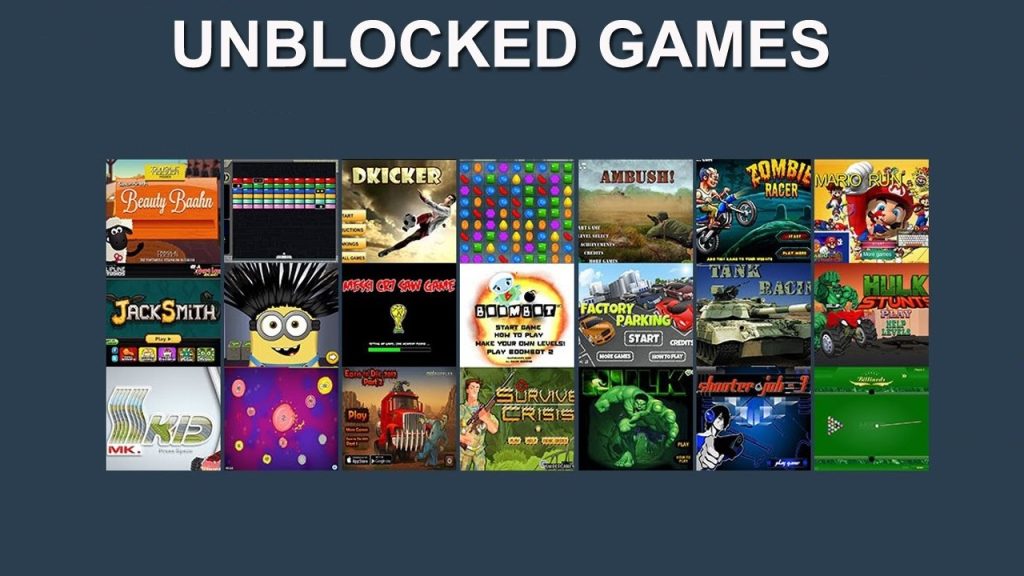
Picture this. You have a free period at school. Your assignments are done, your lunch is finished, and you have fifteen minutes with nothing to do. You open your school laptop, head to your favorite gaming site, and — blocked. A red screen stares back at you. Sound familiar?
This is exactly why unblocked game websites have exploded in popularity over the last decade. Students, teachers, and even office workers have found themselves navigating the same frustrating wall of network restrictions. And honestly? It makes sense that people look for alternatives.
This guide is going to walk you through everything you need to know. What these platforms are, how they work, which ones are actually worth your time, and how to use them without getting into trouble. Whether you’re a student trying to pass the time, a parent trying to understand what your kid is accessing, or just someone curious about how this all works — you’re in the right place.
What Are Unblocked Game Websites?
Let’s start from the beginning. Not everyone is familiar with the term, and it’s worth getting clear on what it actually means before diving deeper.
The Simple Definition
An “unblocked” website is one that can be accessed even when a network — like a school Wi-Fi or library internet system — has filters in place. Most educational institutions use tools like GoGuardian, Securly, or Lightspeed to restrict access to content they consider distracting or inappropriate. Unfortunately, these filters are broad. They often sweep up harmless entertainment sites along with genuinely problematic ones.
Unblocked game websites are platforms specifically designed or hosted in a way that bypasses these filters. They typically run games directly in the browser using HTML5 technology, meaning no downloads, no plugins, and no extra software required. You open the site, click a game, and it just works.
How These Platforms Actually Work
The shift from Flash to HTML5 was a game-changer — literally. When Adobe Flash was discontinued in late 2020, millions of browser-based games went dark overnight. But HTML5 stepped in as a more powerful, more compatible, and more secure replacement. Today’s browser-based games run entirely through the browser itself. No Java. No Flash. No extra installs. This made hosting games on simple, lightweight websites much easier.
Many unblocked platforms host their game files directly on their own servers. Because the domain name doesn’t carry words like “game” or “play” in some cases, or because the site hasn’t been flagged yet, it slips past content filters. It’s not about hacking anything. It’s just a matter of how the site is categorized — or not categorized — by the filtering software.
Why Students Look for Game Websites Unblocked at School
This section might make some adults uncomfortable, but it’s worth having an honest conversation. Students don’t look for gaming options at school because they’re lazy or irresponsible. The reasons are far more human than that.
The Psychology of Play During the School Day
Research in educational psychology consistently shows that the brain needs breaks. A 2018 study published in the journal Cognition found that brief diversions from a task can significantly improve focus over longer periods. Another set of studies from the University of Illinois backs this up — periodic breaks actually help people maintain concentration rather than breaking it.
Short gaming sessions during downtime aren’t necessarily harmful. In many cases, they serve as a mental reset. A ten-minute puzzle game after two hours of math might be exactly what a student needs to re-engage.
Why School Networks Are So Restrictive
Schools in the United States are required to comply with the Children’s Internet Protection Act, commonly known as CIPA. This federal law requires schools and libraries that receive certain federal funding to implement internet safety policies. Part of that means blocking access to content deemed harmful or inappropriate.
The problem? The filtering software doesn’t think like a human. It blocks entire categories of content. A site that hosts a harmless typing game might get swept up in the same filter that blocks actual inappropriate material — simply because the word “game” appears in its metadata.
This creates a frustrating gap. Students who genuinely just want to unwind have nowhere to go, even during legitimate free time. It’s not surprising that the search for game websites unblocked has become so common among school-aged users.
The Growing Demand
According to data from Google Trends, searches related to browser gaming and unblocked content have remained consistently high among users aged 13 to 22. Platforms that offer these games report millions of monthly visitors. This isn’t a niche interest. It’s a mainstream behavior that schools and parents would benefit from understanding rather than dismissing.
Types of Games You’ll Find on These Platforms
Not all browser-based game platforms are created equal. The types of games available vary widely, and knowing what to expect can help you find what actually works for you.
Arcade and Casual Games
These are the most common. Think simple, quick, and satisfying. Run-and-jump games, clicker games, and reflex-based challenges fall into this category. They’re easy to pick up, require no learning curve, and work well in short sessions. Perfect for a fifteen-minute break.
Strategy and Brain-Training Games
This is where things get more interesting — and more defensible. Tower defense games, chess platforms, logic puzzles, and memory challenges occupy a significant chunk of unblocked game libraries. Many teachers actually appreciate these because they stimulate critical thinking. Some schools have gone as far as allowing specific brain-training platforms during free periods precisely for this reason.
Multiplayer and .io Games
The .io genre — named after games like Agar.io and Slither.io — took the internet by storm in the mid-2010s and hasn’t really slowed down. These are simple, browser-based multiplayer games that pit you against other real players around the world. They’re social, competitive, and highly addictive in short bursts. Many of these games run perfectly in browser environments and have found their way onto unblocked platforms.
Educational Games That Sneak in Learning
Some of the most popular platforms blur the line between entertainment and education. Math-based puzzle games, typing challenges, geography quizzes, and science simulations are everywhere. These are particularly valuable because they keep students engaged while reinforcing classroom concepts. A student who spends twenty minutes on a geography game is, in some ways, studying — even if it doesn’t feel like it.
Top Unblocked Game Websites Worth Knowing About
Now let’s get into the meat of it. If you’re going to spend time on unblocked game websites, you want to make sure you’re choosing ones that are safe, well-maintained, and actually fun. Here’s what to look for and some categories of platforms worth exploring.
Long-Standing Platforms with Broad Libraries
Some platforms have been around since the early days of browser gaming. Names like Coolmath Games and Hooda Math have been staples in classrooms for over a decade. These sites built their reputation on offering games that are genuinely educational while still being entertaining. Because they’ve been around long enough to earn the trust of educators, many school networks have whitelisted them entirely.
These platforms typically offer hundreds of games, update their libraries regularly, and maintain clean, ad-light interfaces. They’re among the most reliable options if you want something that works consistently without surprises.
Platforms Built Specifically for the School Environment
There’s a growing category of unblocked game websites that were designed with schools in mind from day one. These platforms prioritize content moderation, age-appropriate material, and clean interfaces. They tend to have smaller game libraries but far more consistent quality control. If you’re a parent or teacher trying to recommend something safe, this category is where you should start.
HTML5 Game Hubs Optimized for Chromebooks
Chromebooks are everywhere in schools right now. They’re affordable, easy to manage, and great for Google’s suite of tools. But they also come with limitations — you can’t install traditional software, and many older games simply don’t run on them.
The best unblocked game websites for school environments are fully optimized for Chromebooks. They load fast, run entirely in Chrome, and don’t require any downloads or installations. If a platform doesn’t work smoothly on a Chromebook, it’s probably not worth recommending to a student audience.
What to Look For When Choosing a Platform
Before you commit to any site, run it through a quick mental checklist. Is it running on HTTPS? Does it have excessive pop-up ads? Does it ask you to create an account or provide personal information? Is the game library updated regularly, or does it look abandoned? A good platform will check all the right boxes. A sketchy one will make itself known pretty quickly. Stick to sites that have been around for years and have a track record of being clean and functional.
Are Unblocked Game Websites Safe?
This is the question that parents and teachers most often ask. And it’s the right question. Let’s answer it honestly.
The Real Risks — Without Fearmongering
Not all game websites that claim to be “unblocked” are created with student safety in mind. Some are put together quickly by unknown developers and loaded with aggressive advertising. The worst ones use something called malvertising — ads that secretly try to install software or redirect you to harmful sites. Others collect browsing data without disclosure.
The good news is that these bad actors are usually pretty obvious. Low-quality design, constant pop-ups, redirects when you click anywhere on the page — these are all red flags. If a site feels sketchy, it probably is. The well-established platforms in this space have survived for years precisely because they don’t pull these tricks.
How to Spot a Trustworthy Site
Look for HTTPS in the URL bar. A padlock icon means the connection is encrypted. Check the site’s design — a well-maintained platform looks intentional and clean. Trusted unblocked game websites don’t ask for your email, your age, or any personal details just to play a game. If they do, leave immediately. Also check how long the site has been around. Platforms with years of history and active user communities are far more likely to be legitimate.
Tips for Students, Parents, and Teachers
For students: stick to platforms you’ve seen recommended by teachers or peers you trust. Avoid clicking on ads, even on reputable sites. For parents: have a conversation with your child about what they’re playing and where. For teachers: consider building a short approved list of platforms that students can reference during free periods. It takes the guesswork out of the equation for everyone involved.
The Responsible Use Conversation: Gaming and School
This section isn’t about lecturing. It’s about being realistic. Gaming during school hours — even on free periods — is something that needs to come with some self-awareness.
When Gaming Is Fine vs. When It Becomes a Problem
Playing a game during lunch? Totally fine. Using a free period to decompress after a tough exam? Understandable. But if gaming is bleeding into class time, or if a student is finding ways to play during lessons, that’s a different conversation. The line between healthy entertainment and a distraction problem is usually pretty clear — it shows up in grades, attention span, and teacher feedback.
What Schools and Parents Can Do
The instinct is always to block everything and hope for the best. But that approach has a track record of not working. Students find workarounds. A better strategy involves digital literacy education — teaching students how to use the internet responsibly rather than just restricting it. Some schools have had success with structured game time as a reward system. Others have leaned into gamified learning platforms that serve the same social and entertainment function while staying on-curriculum.
Alternatives to Traditional Unblocked Game Websites
If you’re looking for something that flies under the radar of school filters entirely — because it was designed to — there are some solid options worth knowing about.
Educational Gaming Platforms Schools Actually Approve
Kahoot, Gimkit, Blooket, and Prodigy are all classroom-approved gaming platforms that teachers actively use. They’re not typically blocked because schools subscribe to them. They’re interactive, competitive, and genuinely fun — while also being tied to learning objectives. If you want to game at school without any risk of being told to close the tab, these are your best bet.
Lightweight Downloaded Games
Some students download small, lightweight games during off-hours and run them from local storage on their device. This bypasses network filters entirely since nothing is being accessed online. It’s worth noting that school IT policies vary on this — some explicitly prohibit it — so check before trying.
Mindfulness Apps and Low-Stimulation Alternatives
Not every mental reset needs to involve a fast-paced game. There’s a growing category of low-stimulation browser apps — digital puzzles, ambient sound generators, and mindfulness tools — that serve a similar purpose without the same level of stimulation. These tend to fly completely under the radar and are often genuinely relaxing in a way that helps students return to work refreshed.
What the Future Looks Like for Browser-Based Gaming
The landscape is shifting fast. HTML5 is already more powerful than Flash ever was, and WebGL is enabling in-browser gaming experiences that rival mobile apps in quality. As cloud gaming grows — platforms that stream full games to any device without installation — the whole concept of “unblocked” is going to evolve.
AI-generated games are also starting to appear, and it’s likely that unblocked platforms will eventually host algorithmically generated content that is constantly fresh and varied. Whether school filters keep pace with these developments remains to be seen. History suggests they usually lag a few years behind.
What seems certain is that the demand for accessible, browser-based entertainment isn’t going anywhere. Students will always want a mental break. The question is whether schools evolve their approach to meet that reality or continue playing catch-up.
Conclusion
Unblocked game websites are a real part of student life — and they have been for years. Dismissing them entirely misses the point. Understanding them, on the other hand, gives students, parents, and educators a much better foundation for making smart decisions.
The best platforms in this space offer safe, fun, and sometimes even educational experiences. The worst ones are easy to spot if you know what you’re looking for. The key is to approach it with some awareness — know where you’re going, know why you’re going there, and know when it’s time to close the tab and get back to work.
Gaming during downtime isn’t inherently bad. It’s a normal, healthy behavior when kept in its proper place. Use the platforms recommended in this guide, apply the safety tips outlined here, and you’ll be in good shape.
FAQ 1: What are unblocked game websites?
Unblocked game websites are online platforms that allow users to play games on networks with restrictions, such as schools or offices, where standard gaming sites are typically blocked. Google Sites They run directly in a web browser using HTML5 technology, requiring no downloads or special software. These platforms are designed to be lightweight, fast-loading, and accessible from any device, including school-issued Chromebooks.
FAQ 2: Why do schools block game websites?
Schools block game sites because some games distract kids from their studies and learning. There is always a risk that children will become addicted to game sites, which would prevent them from engaging in other activities. Schools also block game sites because some content is unacceptable for specific age groups. Findmykids Content filtering software like GoGuardian and Securly automatically flags and blocks entire site categories, which often sweeps up harmless entertainment platforms along with genuinely inappropriate ones.
FAQ 3: Are unblocked game websites legal to use?
Accessing these games is not illegal. However, it may breach your school or company’s acceptable use policy. While casual use during breaks is sometimes tolerated, it’s best to check the rules to avoid trouble. PureVPN The key distinction is between legality and policy compliance — using these platforms is not a criminal act, but it could result in disciplinary consequences if it violates your institution’s internet use guidelines.
FAQ 4: What is the safest unblocked game website for school?
Coolmath Games, Hooda Math, and Scratch are widely recognized for safety and educational value. BearVPN These platforms have been in operation for over a decade, are frequently recommended by educators, and have built strong reputations for clean interfaces, age-appropriate content, and minimal advertising. Many school networks have actually whitelisted these sites entirely.
FAQ 5: How do unblocked game websites bypass school filters?
HTML5 games run directly in the browser as standard web traffic, making them harder for basic filters to distinguish from educational tools. Educational sites like Coolmath Games stay open because teachers actually use them for lessons. AnySecura Additionally, some platforms host their games on trusted services like Google Sites or GitHub Pages, which are rarely flagged by institutional content filters because those domains are associated with productivity rather than entertainment.
FAQ 6: Do unblocked game websites work on school Chromebooks?
Browser-based cloud gaming eliminates the issue of blocked game sites by allowing students to access games that run on a remote cloud server instead of locally on the Chromebook. GameTyrant Most reputable unblocked game websites are built entirely on HTML5 and JavaScript, which means they run natively inside Chrome without any installation. This makes them fully compatible with Chromebooks, which are the most commonly issued school devices today.
FAQ 7: Can teachers or school IT staff see what you’re doing on unblocked game websites?
Schools can often see browsing history. Ask their school what monitoring tools are on managed Chromebooks, because schools can often see browsing history. Check Google activity logs on their school account if you have access. EJAW School network administrators typically log all web traffic on institutional networks and devices. Even if a site isn’t blocked, your visit to it may still be recorded and visible to IT staff or teachers using monitoring tools.
FAQ 8: What types of games are available on unblocked game websites?
Unblocked games span a variety of genres — from puzzles and strategy to action and adventure. Their popularity comes from their accessibility and the instant gratification they provide, making them perfect for short breaks or moments of downtime. Google Sites Beyond casual and arcade games, you’ll also find multiplayer .io games, brain-training challenges, math-based puzzles, geography quizzes, and typing games — many of which carry genuine educational value.
FAQ 9: Are unblocked game websites safe from malware and viruses?
Some mirrors and unofficial platforms come with hidden risks. Some websites mimic the look and name of legitimate unblocked game pages but instead serve malware, fake download buttons, or phishing redirects. Low-quality game mirrors often use aggressive ad scripts that trigger pop-ups or full-page redirects. PureVPN The safest approach is to stick to long-established platforms with verified reputations, always check for HTTPS in the URL bar, and never click on pop-ups or download prompts while on any gaming site.
FAQ 10: What should I look for when choosing a safe unblocked game website?
Prefer ad-free or minimal-ad websites to reduce distractions. Games that tie into subjects like math, language arts, and science reinforce learning and are less likely to be restricted. Sites with intuitive navigation allow students to easily find games relevant to their interests and skill levels. Tenorshare Beyond that, look for HTTPS security, no forced account creation, no invasive permission requests, and a platform that has been consistently active for several years rather than one that appeared overnight.
FAQ 11: Do unblocked game websites require you to create an account?
The vast majority of reputable unblocked game websites require no registration whatsoever. True unblocked games run in your browser. If a site prompts you to download something, steer clear — it could be a red flag. Google Sites Similarly, if a platform demands an email address or personal information just to access a free browser game, that is a strong warning sign. Trustworthy platforms keep access frictionless and anonymous.
FAQ 12: What are the benefits of playing games on unblocked game websites during school breaks?
A quick gaming session can reduce stress and boost your mood. Playing games in moderation can sharpen concentration. Many unblocked games involve problem-solving, strategy, and quick thinking — skills that are valuable in school and work. Some unblocked games offer multiplayer modes, fostering teamwork and communication. Google Sites Research published by the American Psychological Association also supports the idea that video games, when used appropriately, can enhance cognitive function and emotional well-being.
FAQ 13: Which unblocked game websites work best on Chromebooks in 2026?
Crazy Games features a broad selection of HTML5 games that work well without plugins. It’s a great source for quick, fun games that you can play during school breaks. Hooda Math is an interactive site dedicated to math-focused games. PrimaryGames offers a massive library of HTML5 games to elementary students and balances pure entertainment with educational themes. MagFone All of these platforms are fully browser-based, require no downloads, and perform smoothly on the restricted Chromebook environments commonly found in schools.
FAQ 14: Can unblocked game websites negatively affect a student’s academic performance?
Unblocked games can cause academic decline, physical health issues, mental health problems, and online safety risks. Wondershare These negative outcomes are most likely when gaming spills into class time rather than staying contained to genuine free periods. Studies show that too much gaming can affect a child’s mental health. Research indicates that the more time a child spends on games, the more likely they are to display symptoms of depression. Findmykids Moderation and self-awareness are essential to keeping gaming a positive rather than harmful habit.
FAQ 15: What is the difference between unblocked game websites and regular game websites?
Regular gaming websites are hosted on domains that are typically flagged and blocked by institutional content filters because they are clearly categorized as entertainment or gaming platforms. Unblocked game websites are browser-based games that can be accessed even on restricted school or work networks. Schools block sites using firewalls or DNS filters to enforce focus, reduce distractions, or save bandwidth. BearVPN The key technical difference is that unblocked platforms use HTML5 hosting methods, lightweight code, or trusted domain services that slip through these filters undetected.
FAQ 16: Are there educational games available on unblocked game websites?
Many unblocked game sites cater specifically to educational purposes. Math Playground combines fun gameplay with math challenges designed to sharpen skills while keeping players engaged. This blend not only entertains but also enhances learning. Oreate AI Beyond math, you’ll find games covering geography, typing speed, language arts, science concepts, and logic puzzles — all of which offer real academic value while still being genuinely enjoyable to play.
FAQ 17: Can parents monitor what their children are playing on unblocked game websites?
Protecting your child from unblocked game addiction requires a multi-layered approach. Establish screen time limits, create a schedule, define consequences, lead by example, discuss the risks, and listen to your child — understand why they enjoy gaming and address underlying needs such as social connection or stress relief. Wondershare Parental monitoring tools, open conversations about digital habits, and reviewing browser history on home devices are among the most effective strategies parents can deploy.
FAQ 18: What are the most popular games found on unblocked game websites?
Popular browser games that work on school networks include 2048, Slope, Slither.io, Agar.io, and Chess. Slope is a 3D running game, Agar.io lets you control a small cell and compete against others, and Chess is often allowed because it is considered an educational, brain-training game. PixPretty Online These titles remain consistently popular because they are simple to learn, fast to load, work without any installation, and are genuinely fun in short play sessions.
FAQ 19: Is it against school rules to use unblocked game websites?
Before using your device, make sure playing games aligns with school guidelines. Many schools allow games only during break times or designated free periods. Tenorshare The rules vary significantly from one institution to another. Some schools explicitly permit gaming on approved platforms during lunch or free periods, while others prohibit any gaming on school devices or networks at any time. Always check your school’s Acceptable Use Policy before visiting any gaming platform on school equipment.
FAQ 20: How do cloud gaming platforms change access to unblocked game websites?
CloudMoon uses browser-based cloud gaming, meaning the game is streamed from remote servers rather than running on the local device. The Chromebook or PC only sends user inputs like keyboard or mouse commands, while the cloud handles all processing. This allows even lightweight devices to run games smoothly. GameTyrant This represents a significant shift in how students access games — instead of needing a website to slip through a filter, the game itself runs off-site and the school device simply displays it, making traditional content filtering far less effective.
FAQ 21: What happens if you get caught using unblocked game websites at school?
Consequences depend entirely on your school’s policies and the specific circumstances. In most cases, a first offense results in a verbal warning or brief conversation with a teacher or administrator. Repeat offenses can escalate to parental notification, temporary loss of device privileges, or formal disciplinary action under the school’s Acceptable Use Policy. Many schools allow games only during break times or designated free periods Tenorshare, so the timing of when you’re caught playing matters just as much as the fact that you were playing at all.
FAQ 22: Are there unblocked game websites specifically designed for younger students?
PrimaryGames offers a massive library of HTML5 games to elementary students. It balances pure entertainment with educational themes, making it a green-lit site for many educators and unblocked in school systems. PrimaryGames is extremely safe and frequently updated, and there are no chat rooms or unregulated social interaction, satisfying school safety standards. MagFone ABCya is another well-known platform specifically designed for younger learners, with games organized by grade level and curriculum standards.
FAQ 23: Can you play multiplayer games on unblocked game websites?
Yes, multiplayer games are widely available on unblocked game websites. Agar.io lets you control a small cell in a shared arena — eat smaller players to grow but avoid bigger ones. The simple multiplayer design makes it a popular unblocked game among students because it is browser-based and runs even on school networks that filter other game sites. PixPretty Online Other popular multiplayer titles in the unblocked space include Slither.io, Shell Shockers, and Skribbl.io — all of which run entirely in the browser and require no downloads.
FAQ 24: What is the future of unblocked game websites as technology evolves?
In 2026, one of the biggest developments in this space is the rise of gaming hubs and proxy mirrors. Instead of relying on traditional unblocked game websites that get banned quickly, newer systems use Google services, mirror hosting, and lightweight HTML5 game builds to stay accessible even on restricted school devices. The ecosystem is constantly evolving as students build new mirrors and school administrators update their filters. EJAW As cloud gaming and AI-generated content mature, the concept of “blocked vs. unblocked” will likely evolve — with schools needing to rethink their entire filtering approach rather than playing an ongoing game of catch-up.

