
You are scrolling through your bank statement or credit card bill, and something catches your eye. There is a charge you do not recognize, and next to it sits a phone number — 402 9357733. No merchant name that rings a bell. No store you remember visiting. Just that string of digits staring back at you. Your first instinct is probably to assume the worst. Someone has stolen your card details. Your account has been compromised. Panic starts creeping in. But before you freeze your accounts and start changing every password you own, take a breath. In the vast majority of cases, that number on your statement is completely harmless. It belongs to PayPal, one of the largest and most widely used online payment platforms on the planet. This guide will walk you through everything you need to know about this charge — why it shows up, what it means, when you should worry, and exactly what to do if something feels off. Whether you found this page after searching “What is 402-9357733?” or because your banking app sent you an alert notification referencing this number, you are in the right place.
What Is 402-9357733 and Why Does It Show Up on Statements?
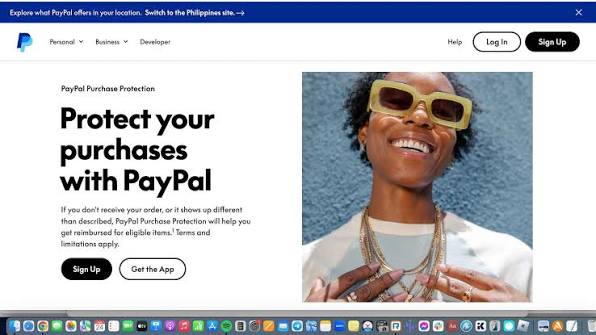
The number 402 9357733 is one of PayPal’s official customer service phone numbers. PayPal’s own help center confirms this directly. Whenever a purchase is processed through PayPal’s payment system, the charge on your bank or credit card statement may appear with the label “PayPal” alongside this particular phone number. It functions as a contact reference — a way for you to reach PayPal if you have questions about the transaction. The reason so many people end up confused is simple. PayPal does not only process payments for people who have PayPal accounts. It also works behind the scenes as a payment processor for thousands of online merchants. That means you could buy a pair of shoes from a small online boutique, pay with your regular credit card on their website, and never see a single PayPal logo during checkout. But if that store uses PayPal on the backend to handle credit card transactions, your bank statement will show PayPal’s name and their customer service number instead of the store’s name. That disconnect between what you bought and what your bank shows is the root cause of the confusion. You expected to see “Joe’s Shoe Store” on your statement, but instead you see “PAYPAL” followed by 402-935-7733. It does not look familiar, and naturally, it feels suspicious. But in most cases, it is just the way the payment pipeline works.
The Nebraska Connection
If you are wondering about the area code, 402 is assigned to eastern Nebraska. It covers cities like Omaha, Lincoln, and Norfolk. PayPal maintains customer service operations tied to this region, which is why 402 9357733 carries a Nebraska area code. The company has been using this same number for well over a decade, making it arguably one of the most searched phone numbers in the United States. Millions of people have encountered it on their statements over the years, and a quick search online will reveal discussion threads about it going back to the early 2010s.
How the Charge Appears on Different Banks and Cards
One of the things that makes this charge tricky to identify is that it looks different depending on which bank or card issuer you use. There is no single standard format. Your bank’s system decides how to display transaction descriptors, and each one does it a little differently. Some of the most common formats you might see include entries like “PAYPAL *MERCHANTNAME 402-935-7733” where the merchant name follows an asterisk, or simply “PAYPAL 4029357733” with no dashes and no merchant name at all. Other variations include “PAYPAL XXXX 402-935-7733 CA” with a state abbreviation tacked on, or “PPMERCHANTNAME” with the phone number appearing nearby in the description field. Some banks include the dashes between the numbers, while others smash them together as a single string. American Express statements, for example, tend to show the number without any dashes as 4029357733, while other issuers include the standard formatting. The key thing to understand is that all of these entries — whether they display 402 9357733 with dashes, without dashes, or alongside a merchant code — point to the same source — a PayPal-processed transaction. The formatting differences are cosmetic and determined entirely by your financial institution, not by PayPal itself.
Why the Merchant Name Is Often Missing
PayPal acts as a middleman in the payment chain. When you buy something from a website that uses PayPal as its payment processor, the money flows from your card to PayPal and then from PayPal to the merchant. Your bank only sees the first leg of that journey — the charge from PayPal. That is why the descriptor on your statement often shows PayPal’s details rather than the name of the store where you actually made the purchase. Some transactions will include a shortened version of the merchant name after an asterisk, like “PAYPAL *NETFLIX” or “PAYPAL *EBAY.” But many do not. And when the merchant name is absent or truncated beyond recognition, you are left staring at the phone number as your only clue.
Why You Might Get an Alert About 402 9357733
Modern banking is built around real-time notifications. Most banks and credit card companies now send push alerts, text messages, or emails the moment a new charge posts to your account. If your bank uses a notification system and a PayPal-processed charge hits your card, you may receive an alert that includes the number 402 9357733 in the transaction details. Some people report seeing phrases like “alertme 86 402 9357733” in their notification feeds. This typically happens when a banking app or alert service uses a short identifier code — in this case, something like “alertme 86” — followed by the transaction details, which include PayPal’s phone number. It is not a separate charge and it is not a scam text. It is simply your bank doing its job by notifying you about a new transaction in real time. That said, it is worth knowing how PayPal’s own notification system works so you can tell the difference between a legitimate bank alert and a phishing attempt. PayPal sends its security codes and verification texts from a short code number, typically 729-725. They do not use the 402-935-7733 number to send text messages. If you receive a phone call or text message directly from a full 10-digit number claiming to be PayPal and asking for personal information, treat it with extreme caution. Legitimate PayPal communications come through their app, their official email addresses, or their designated short code — not through this customer service line reaching out to you unsolicited.
Is the Charge Legitimate or Should You Be Concerned?
This is the question that brings most people to search engines. You saw the charge, you do not recognize it, and you want to know whether your money is safe. The honest answer is that in the overwhelming majority of cases, a charge displaying 402 9357733 is perfectly legitimate. But that does not mean you should ignore it. Here is how to think about it.
When the Charge Is Perfectly Normal
There are several common and completely routine reasons this number might appear on your statement. The most obvious is a direct PayPal purchase — you bought something online, chose PayPal as your payment method, and the charge went through your linked card or bank account. Another frequent scenario involves merchants who use PayPal as their credit card processor. You may have shopped on eBay, Etsy, or any number of smaller online stores that route their payments through PayPal’s system. Even if you never logged into a PayPal account, the transaction still shows up with PayPal’s name and number. Recurring subscription payments are another major source of these charges. If you signed up for a streaming service, software subscription, or membership that bills through PayPal, you will see this charge every billing cycle. And finally, if your PayPal balance was not enough to cover a purchase, PayPal automatically pulls the remaining amount from your linked bank account or credit card — which can create a charge you were not expecting to see.
Red Flags Worth Watching For
While most charges are legitimate, there are situations where the entry on your statement could indicate a problem. Be cautious if you have never had a PayPal account and see this charge appear. That is an immediate signal that someone may have used your card details through PayPal’s system without your knowledge. Similarly, if the charge amount does not match any purchase you can recall, if there are no matching receipts in your email, or if you notice several small charges appearing in rapid succession, these are patterns consistent with card-testing fraud — where criminals make small purchases to verify that stolen card numbers are active before making larger unauthorized buys. Unusually large charges with no explanation also deserve immediate attention.
How to Verify the Charge Step by Step
Start by logging into your PayPal account and checking your recent activity. Every transaction that passes through PayPal shows up in your account history with the merchant name, amount, and date. Compare that information against the charge on your bank statement. If you do not have a PayPal account, search your email inbox for purchase confirmations or receipts from around the same date. If you share your bank account or credit card with a spouse or family member, check with them. It is surprisingly common for a partner’s forgotten online order to show up as a mystery charge. Cross-reference the charge date with any recent online shopping you may have done, even purchases that did not seem PayPal-related at the time. If none of these steps produce a match, it is time to take further action.
What to Do If You Do Not Recognize a 402 9357733 Charge
If you have gone through your PayPal history, searched your emails, checked with your family, and still cannot account for the charge, you need to act quickly but calmly. There are three main paths you can follow, and in some cases, you may want to pursue more than one.
Contacting PayPal Directly
Calling the number 402-935-7733 itself will connect you to PayPal’s automated customer service system. It is available around the clock, seven days a week. The automated system can help you check your account balance, review recent transactions, and get basic information about charges. For more complex issues or if you need to speak with a live person, PayPal’s main customer support line is 1-888-221-1161. A PayPal agent can look up the transaction in question and tell you exactly which merchant received the payment, which often solves the mystery right away.
Filing a Dispute With Your Bank
If PayPal cannot help — or if you do not have a PayPal account and someone has clearly used your card without authorization — your next step is contacting your bank or credit card company. Ask to speak with their fraud or disputes department. They can initiate a chargeback on the unauthorized transaction, reverse the charge while they investigate, and issue you a replacement card to prevent further unauthorized use. Most banks take these reports seriously and will act quickly once you flag the issue.
Using PayPal’s Resolution Center
If you have a PayPal account and the suspicious charge shows up in your PayPal transaction history, you can open a dispute directly through PayPal’s Resolution Center. This is PayPal’s built-in system for handling transaction disagreements. You generally have up to 180 days from the date of the original transaction to file a dispute. Once you open a case, PayPal investigates and communicates with the merchant on your behalf. They will also notify you by email once a decision has been reached, typically within 10 business days.
Scams and Fraud That Misuse This Number
While the number itself is legitimate, criminals have found ways to exploit the trust and recognition people have around PayPal’s branding. Phishing scams that reference 402-9357733 or similar-looking numbers have been reported for years and continue to evolve.
Phishing Calls and Fake Texts
One common tactic involves scammers spoofing this phone number — or one that looks very close to it — and calling potential victims. They pose as PayPal security agents, claim that suspicious activity has been detected on the victim’s account, and pressure them into sharing personal information like passwords, Social Security numbers, or one-time passcodes. PayPal has been clear on this point — they will never call you and ask for your password or full Social Security number. If someone contacts you out of the blue claiming to represent PayPal and asks for sensitive details, hang up immediately. You can always verify by logging into your PayPal account directly through the app or website to check for any genuine security alerts.
Phishing Emails That Look Convincing
Scammers also send emails designed to look exactly like official PayPal communications. These messages often reference a charge you supposedly authorized, include a phone number like (402)9357733 for “support,” and provide a link for you to “verify your account.” The link leads to a fake website that mimics PayPal’s login page. If you enter your credentials, the scammers capture them instantly. The safest approach is to never click on links in unexpected emails claiming to be from PayPal. Instead, open a new browser tab, type in PayPal’s actual website address, and log in from there. You can also forward suspicious emails to PayPal’s phishing reporting address for investigation.
Protecting Yourself Going Forward
Prevention is always better than cleanup. Enable two-factor authentication on your PayPal account so that even if someone obtains your password, they still cannot log in without a verification code sent to your phone. Set up transaction alerts through your bank so you are notified immediately whenever a charge posts to your account. Review the “Automatic Payments” section in your PayPal settings periodically to make sure no unauthorized merchants have set up recurring billing on your account. And use strong, unique passwords that you change on a regular basis. These steps will not make you invincible, but they will make you a much harder target.
Does This Number Affect Your Credit Report?
This is a question that comes up often, and the answer is straightforward. The number 402 9357733 will not appear anywhere on your credit report. Credit reports and bank statements are entirely different documents. Your credit report tracks your credit accounts, payment history, outstanding balances, and credit inquiries. It does not record individual transaction-level details or phone numbers associated with specific charges. PayPal may show up on your credit report in a few specific situations — for instance, if you have a PayPal Credit account (their buy-now-pay-later product) or if an unpaid balance has been sent to a collections agency. But even in those cases, the entry on your credit report would show “PayPal” as the creditor name, not the phone number. So seeing this number on your bank statement has no bearing whatsoever on your credit score.
Frequently Asked Questions
1. What is 402 9357733 on my bank statement?
The number 402 9357733 is PayPal’s official customer service phone number. It shows up on your bank or credit card statement whenever a transaction has been processed through PayPal’s payment system. This includes direct PayPal purchases, payments on websites that use PayPal as their backend processor, and recurring subscriptions billed through PayPal.
2. Is 402-9357733 a legitimate number or a scam?
It is a legitimate phone number belonging to PayPal. The company has used this number for over a decade, and PayPal’s own help center confirms it. However, scammers sometimes spoof this number or use it in phishing messages to trick people into sharing personal information, so always verify through PayPal’s official app or website before responding to any unsolicited contact.
3. Why is PayPal charging my card if I never used PayPal?
Many online merchants use PayPal as their behind-the-scenes payment processor. You may have purchased something on a website using your regular credit or debit card, but the store routes payments through PayPal. In that scenario, your bank shows PayPal’s name and the number 402 9357733 instead of the merchant’s name, even though you never logged into a PayPal account.
4. Can I call 402-935-7733 to ask about a charge?
Yes. Dialing 402-935-7733 connects you to PayPal’s automated customer service system, which is available 24 hours a day, seven days a week. You can check your account balance, inquire about recent transactions, and get basic support. For more complex issues or to speak with a live representative, PayPal’s main customer service line is 1-888-221-1161.
5. What does alertme 86 402 9357733 mean on my phone?
This is a banking notification or transaction alert generated by your financial institution. The “alertme 86” portion is a short identifier code used by certain bank alert systems. The rest of the message contains the transaction details, which include PayPal’s phone number as part of the charge descriptor. It is not a separate charge or a scam — it is simply your bank notifying you about a new PayPal-processed transaction posted to your account.
6. Why does 402 9357733 appear without a merchant name?
PayPal acts as a middleman in the payment chain. Your bank only sees PayPal processing the transaction, not the actual store where you made the purchase. Some banks will include a shortened merchant name after an asterisk (like PAYPAL *NETFLIX), but many display only PayPal’s name and phone number. The original merchant’s identity is available inside your PayPal account activity.
7. How do I find out which store charged me through 402-935-7733?
Log into your PayPal account and go to your Activity or Transaction History page. Every payment processed through PayPal is listed there with the merchant’s name, amount, date, and transaction ID. Match the date and amount from your bank statement to the PayPal activity entry, and you will see exactly which merchant received the payment.
8. Will 402 9357733 show up on my credit report?
No. This phone number only appears on bank and credit card statements as part of a transaction descriptor. Credit reports track credit accounts, balances, payment history, and inquiries — not individual purchase-level phone numbers. PayPal may appear on your credit report if you have a PayPal Credit account or an unpaid balance in collections, but even then it would display as “PayPal,” not the phone number.
9. Does seeing 402-935-7733 mean my PayPal account was hacked?
Not necessarily. In most cases, this charge is a normal PayPal-processed transaction that you may have forgotten about. However, if you are certain you did not authorize any purchase around that date and the amount does not match anything in your PayPal activity, it could indicate unauthorized use of your card. In that case, contact PayPal and your bank immediately to investigate.
10. How do I dispute an unauthorized 402 9357733 charge?
You have two main options. First, log into your PayPal account and open a dispute through the Resolution Center, where PayPal investigates and communicates with the merchant. Second, contact your bank or card issuer directly to file a chargeback. PayPal generally allows disputes within 180 days of the original transaction. If you do not have a PayPal account, your bank is your primary point of contact.
11. Why do I keep seeing this charge every month?
A recurring charge from PayPal typically means you have an active subscription or automatic payment set up through their system. This could be for a streaming service, a software license, a membership, or any other product that bills on a cycle. To check, log into PayPal, go to Settings, then Payments, and look under Automatic Payments or Subscriptions to see which merchants have recurring billing permissions on your account.
12. How do I stop recurring charges from 402 9357733 on my statement?
Log into your PayPal account and navigate to Settings, then Payments, then Automatic Payments (or Subscriptions and Saved Businesses). Find the merchant you want to cancel and click to cancel the billing agreement. Keep in mind that canceling in PayPal stops future charges from being billed through your PayPal account, but you may also need to cancel directly with the merchant to formally end the subscription.
13. Is it safe to answer a phone call from 402-935-7733?
While this is a legitimate PayPal number, you should still exercise caution. PayPal does occasionally call customers to verify large or unusual transactions, but they will never ask for your full password, Social Security number, or one-time verification codes over the phone. If the caller requests sensitive personal information, hang up and contact PayPal directly through their official website or app.
14. Why does the number appear as 4029357733 without dashes on my statement?
This is simply a formatting difference determined by your bank or card issuer. Some financial institutions display phone numbers with dashes (402-935-7733), others remove all formatting and show them as a continuous string (4029357733), and some add parentheses around the area code like (402)9357733. All of these refer to the same PayPal customer service number.
15. Can someone use my card through PayPal without my permission?
Unfortunately, yes. If a criminal obtains your card number, expiration date, and security code, they can use it to make purchases through PayPal’s guest checkout feature — which does not require a PayPal account. This is why unrecognized charges with the 402 9357733 descriptor should always be investigated. Report any unauthorized transactions to both your card issuer and PayPal immediately.
16. What is the difference between 402-935-7733 and PayPal’s short code 729-725?
These serve different functions. The number 402-935-7733 is PayPal’s customer service phone number that appears on bank statements as a transaction descriptor. The short code 729-725 is used by PayPal to send text messages, including two-factor authentication codes and security alerts. If you receive a text from a standard 10-digit number claiming to be PayPal rather than from the 729-725 short code, it may not actually be from PayPal.
17. Why does my statement say 402-935-7733 CA or FL or NY?
The two-letter abbreviation after the phone number represents the state associated with the merchant or transaction. “CA” stands for California (where PayPal is headquartered), while other abbreviations like FL, NY, or TX indicate the location of the specific merchant or processing center involved in the transaction. It does not mean the charge originated from that state on your end.
18. I do not have a PayPal account but see 402 9357733 on my statement. What do I do?
This is a serious red flag. If you have never created a PayPal account and see a charge referencing this number, someone may have used your card details to make a purchase through PayPal’s system. Contact your bank or card issuer immediately to report the unauthorized transaction, request a chargeback, and have your card replaced to prevent further charges.
19. Does PayPal charge fees that show up as 402-935-7733?
No. Standard PayPal transaction fees are deducted from the payment amount for sellers, not charged separately to buyers. The charges you see on your bank statement with this phone number represent the actual purchase amount paid to a merchant through PayPal, not a PayPal service fee. If you see a separate or unexpected small charge, it may be a temporary hold PayPal places to verify a new card, which is typically refunded within a few days.
20. How long do I have to dispute a charge showing 402 9357733?
Through PayPal’s Resolution Center, you generally have up to 180 days from the date of the transaction to file a dispute. Through your bank or credit card company, the window for filing a chargeback varies but is typically 60 to 120 days, depending on the issuer. The sooner you report an unauthorized charge, the better your chances of a successful resolution.
21. Can I block 402-935-7733 from charging my account again?
You cannot block a specific descriptor from appearing on your statement, but you can take steps to prevent future unauthorized charges. Ask your bank to issue a new card number if fraud is suspected. Inside PayPal, review and cancel any active automatic payment agreements you no longer want. Removing your card from PayPal entirely will also prevent it from being used through PayPal’s system going forward.
22. Why does my bank show PAYPAL *MERCHANTNAME 402-935-7733 for a purchase I made directly on a website?
This happens because the website you purchased from uses PayPal’s Braintree payment processing service on the backend. Even though you entered your card details directly on the merchant’s checkout page without seeing any PayPal branding, the payment was routed through PayPal’s infrastructure. Your bank then records it as a PayPal transaction with their customer service number attached.
23. Is 402-935-7733 related to a debt collection agency?
Some online directories associate this number with the National Collection Agency, a debt collector. However, PayPal’s own help center and the automated system you reach when calling this number confirm it as PayPal’s customer service line. The confusion arises because multiple entities can be linked to the same number across different databases. If you are receiving collection calls, verify the caller’s identity independently before sharing any financial information.
24. What should I do if I receive a phishing email that mentions 402-935-7733?
Do not click any links or call any phone numbers provided in the email. Phishing emails often reference familiar numbers like 402-935-7733 to appear trustworthy. Instead, open a separate browser window and log into your PayPal account directly at paypal.com to check for any genuine account alerts. You can also forward the suspicious email to phishing@paypal.com so PayPal’s security team can investigate it.
Wrapping Up
Finding an unfamiliar charge with the number 402 9357733 on your bank statement can be unsettling, but it is almost always explainable. This number is simply PayPal’s customer service contact, and it gets stamped on every transaction that runs through their system. The confusion happens because PayPal often processes payments on behalf of merchants without making that obvious on your statement. Now that you understand what 402 9357733 means, you have the tools to figure out whether it is a purchase you forgot about, a subscription you overlooked, or something that genuinely needs to be reported. Check your PayPal activity, search your email receipts, and talk to your household before jumping to conclusions. If something truly does not add up, contact your bank and PayPal right away. And going forward, keep your alerts turned on, your passwords strong, and your automatic payments list clean. A few minutes of routine account maintenance can save you hours of stress down the road.